Records take too many clicks
Opening records individually makes routine data work feel like a series of forms instead of an operating system.
GridLane brings spreadsheet speed and Kanban clarity to the same workspace. Edit records inline, move work through stages, and keep every client account operating from the same standard.
Built for agencies that need faster daily operations now — and consistency across locations later.
GoHighLevel gives you records, pipelines, and client accounts. Running them from disconnected screens is where the day gets slow.
Opening records individually makes routine data work feel like a series of forms instead of an operating system.
Stages, owners, and next actions are buried in lists. Teams cannot see the work move without a board in front of them.
Views, fields, and permissions get recreated account by account instead of becoming a repeatable operating standard.
GridLane closes the gap with one workspace for daily work and portfolio operations. See how the agency layer fits →
Work through custom objects, contacts, opportunities, and projects in a familiar grid. Edit inline, move with the keyboard, and apply changes across a selection.
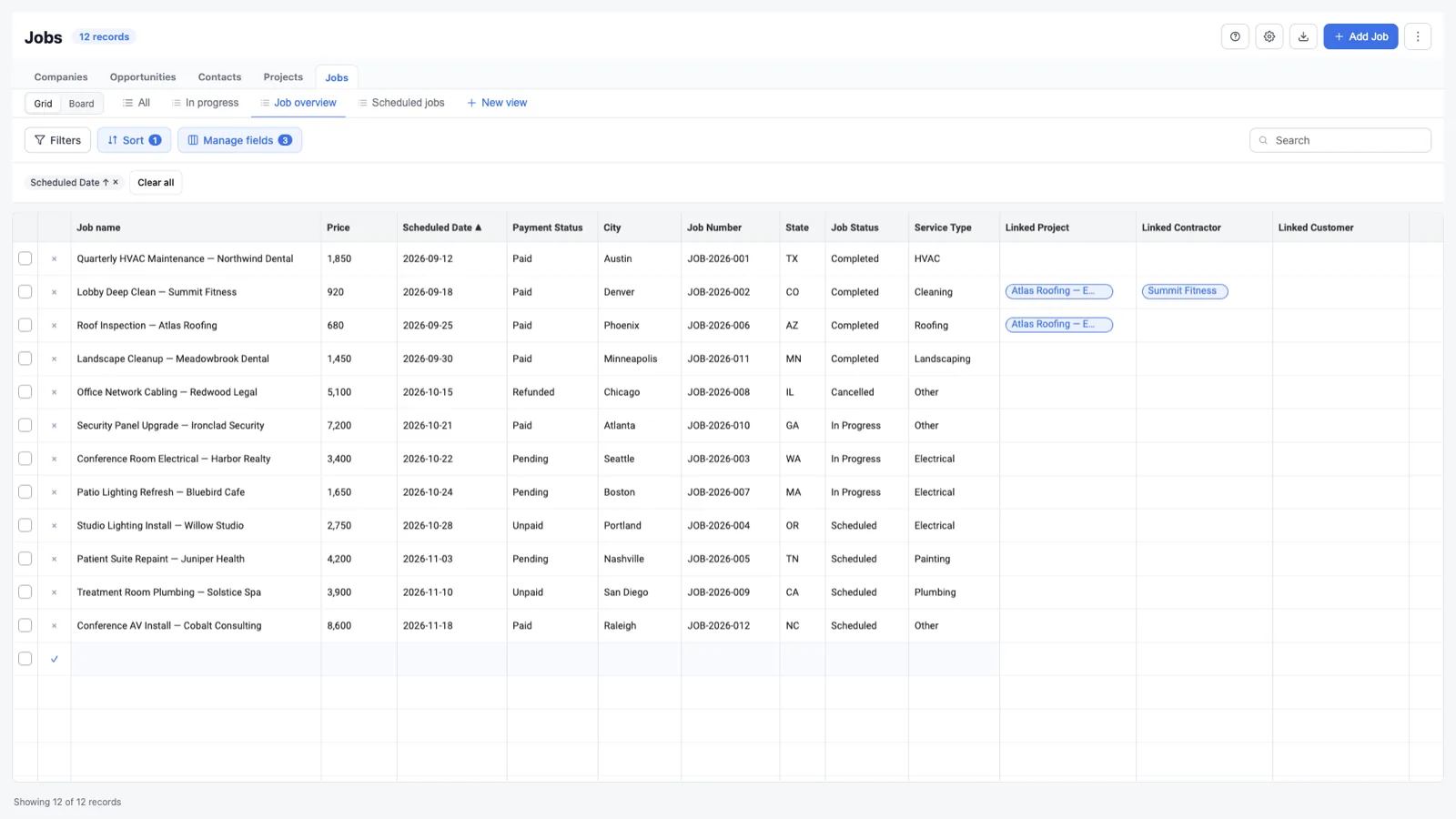
Change a cell, press Enter, and keep moving. Validation stays in the flow.
Turn stage, status, or any single-select field into a visual board with drag-and-drop.
Select rows and update a field, duplicate, delete, or undo in one pass.
Keep separate grid and board views for filters, columns, layouts, and cards.
Add fields from the workspace and place them in the right section without a separate setup flow.
See linked records and add or remove associations without leaving the workspace.
Export the visible, filtered grid with the columns your team is actually using.
Move with the keyboard, copy and paste cells, and keep your hands off the mouse.
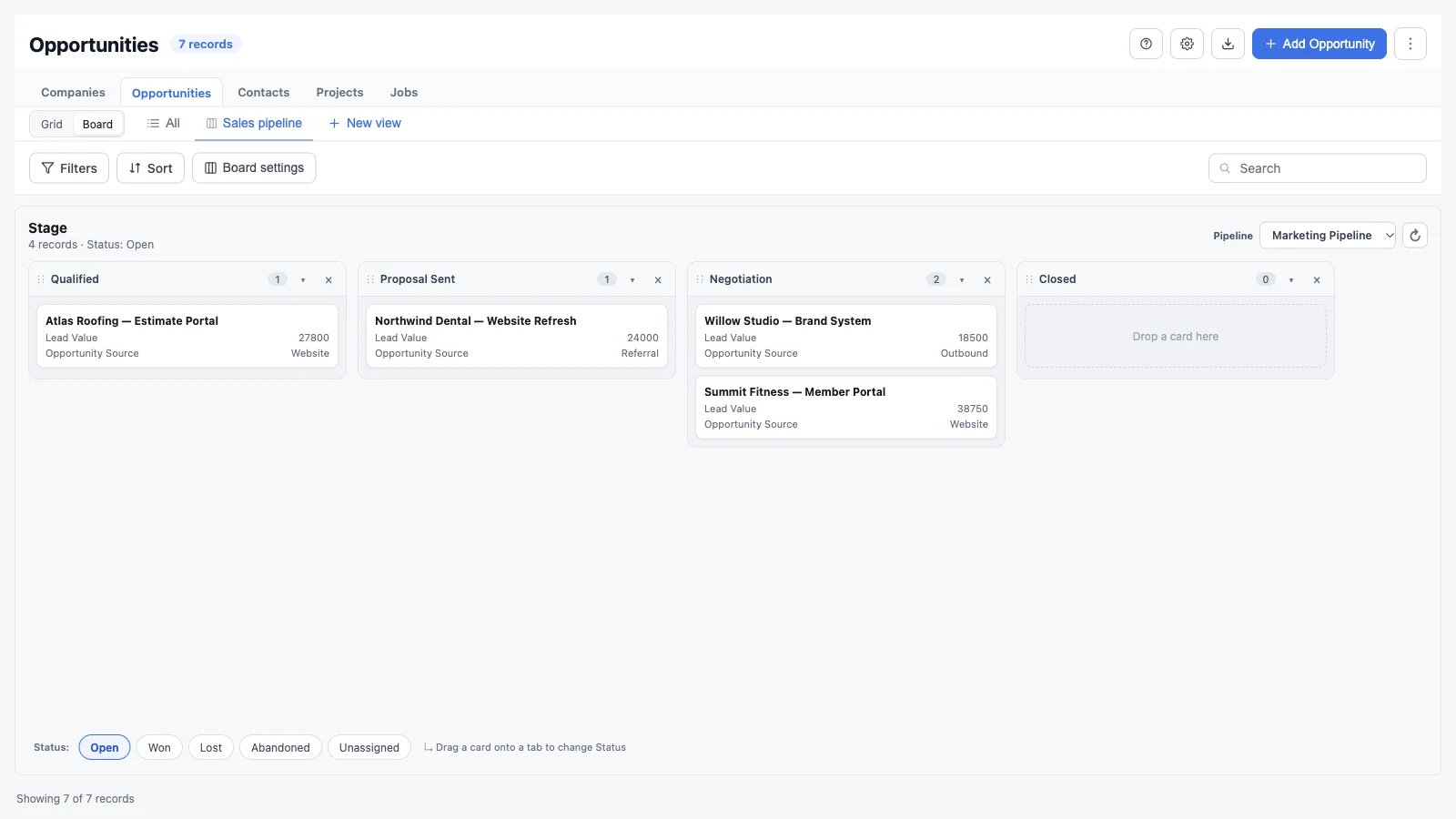
Switch any supported object into a board, group work by stage or status, and move cards forward without opening another screen.
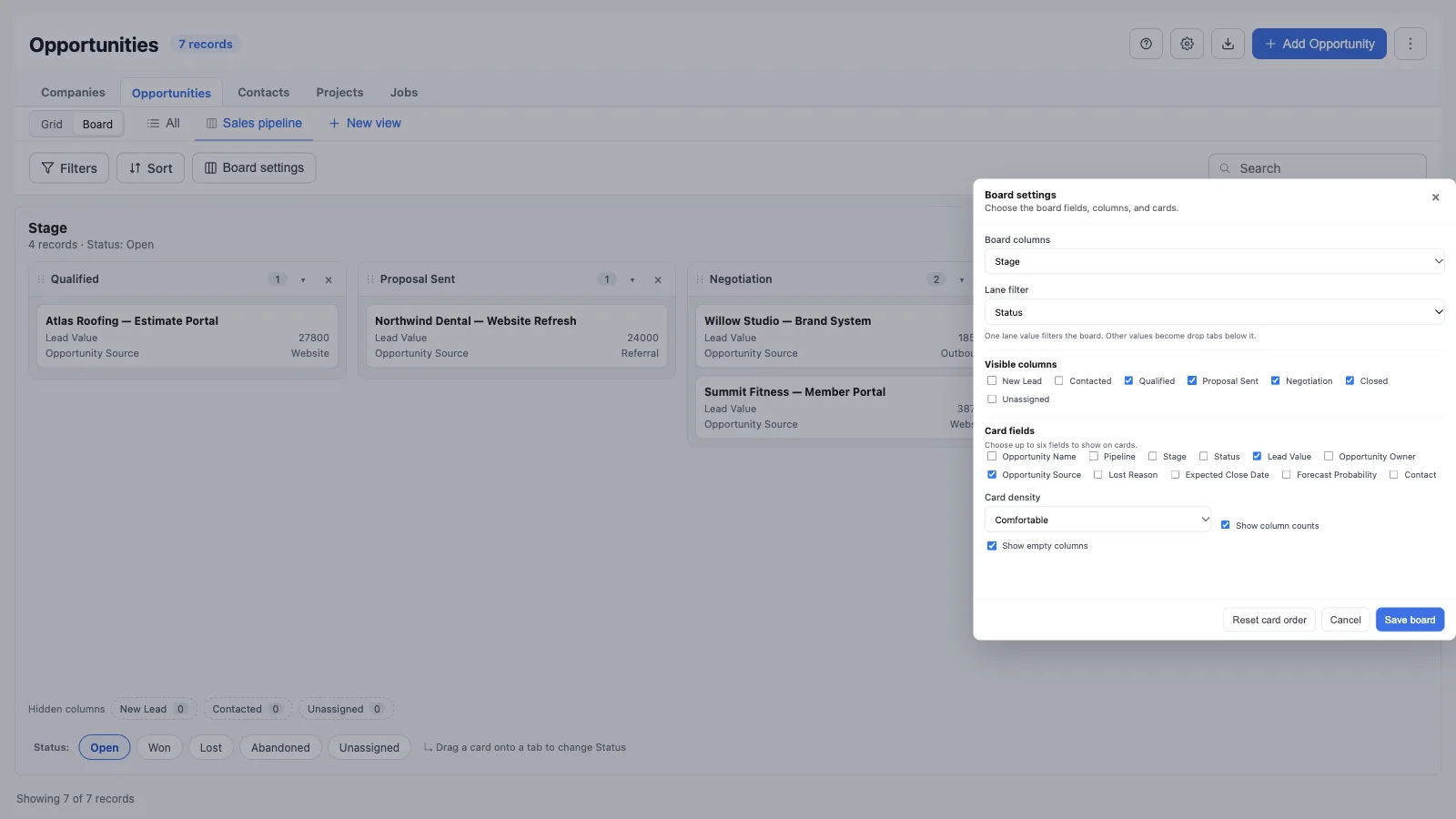
Use any single-select or radio field with options — pipeline stage, status, priority, and more.
Filter the board by one lane value and drag cards onto other tabs to change owners, statuses, or categories.
Drag cards between columns, resize or collapse columns, hide noise, and keep a manual card order.
Board views remember the pipeline, lanes, columns, card fields, density, and filters for the whole team.
Connect GridLane to a GoHighLevel location and open your objects.
Work in a grid for data or switch to a board to see stage and status move.
Save separate grid and board views so the team starts from the same place every day.
Capture the setup as a blueprint and apply it across client accounts.
GridLane works inside the access you already grant. It respects location permissions and keeps agency activity visible.
OAuth tokens are encrypted before they are stored.
Grid and board editing follow the location’s access model.
Rollouts, drift checks, settings, and branding can be reviewed and exported.
Blueprints capture configuration, never client records.
Every plan starts with a 30-day free trial. Annual billing includes two months free.
The grid and Kanban workspace for smaller agencies.
The operational layer for repeatable client setups.
Reporting, audit, and scale for larger portfolios.
All plans include grids, Kanban boards, saved grid and board views, permissions, associations, and CSV export. Lane tabs and custom cards are on Pro and Enterprise. Prices in USD.
Yes. GridLane keeps separate Grid and Board views for each object. Switch modes without losing the layout, filters, or saved view for the other mode.
Open an object with a single-select or radio field, switch to Board, then open Board settings. Choose the column field, optional lane field, visible columns, and card fields.
Yes. Opportunity boards default to pipeline stages, include a pipeline selector, and can use another field such as status as a lane filter.
Yes. Select multiple rows in the grid, choose a field, set the value, and apply it across the selection. Bulk updates and deletes can be undone from the toast.
Yes. Grid and board views can be shared with the account or kept private. Board views remember the pipeline, lanes, columns, card fields, filters, and manual card order.
No. Every new agency starts with a 30-day free trial, then chooses Core, Pro, or Enterprise.
Install from the GoHighLevel Marketplace. No free plan. Cancel anytime.