
Repeated setup work
Objects, fields, sections, grids, boards, and permissions get rebuilt in every new client account.
Start with grids and boards for the daily work. Then turn a well-built GoHighLevel setup into a versioned blueprint, roll it out across the portfolio, and know when a location drifts.
Ten locations can look healthy one by one while the agency has no reliable picture of what is consistent, what changed, or what still needs setup.
Objects, fields, sections, grids, boards, and permissions get rebuilt in every new client account.
A field changes in one location and nobody notices until a report, workflow, or client request breaks.
The agency can see the work it did, but not whether every location stayed aligned.
GridLane adds the operating layer around grids and boards: what was deployed, where it drifted, and what needs attention next.
Capture objects, fields, sections, associations, grid views, board views, and permission rules from a well-built location. Recapture as a new version when the standard changes.
Preview an add-only deployment, then roll the same setup across a selected group of locations with queued jobs and failure tracking.
Compare assigned locations against the blueprint. Run checks manually or schedule them daily or weekly.
Send alerts when drift, blocked checks, or failed rollouts need an operator’s attention.
See compliance, blueprint adoption, job activity, and failure detail across the portfolio.
Review and export agency-level activity: rollouts, drift checks, settings, branding, and plan changes.
Apply a default blueprint automatically when GridLane is installed to a new client account.
Show your agency name, logo, and accent color in the agency console, grid, and boards.
These screens are captured from the current GridLane build, using demo data. Open either image for the full-size view.
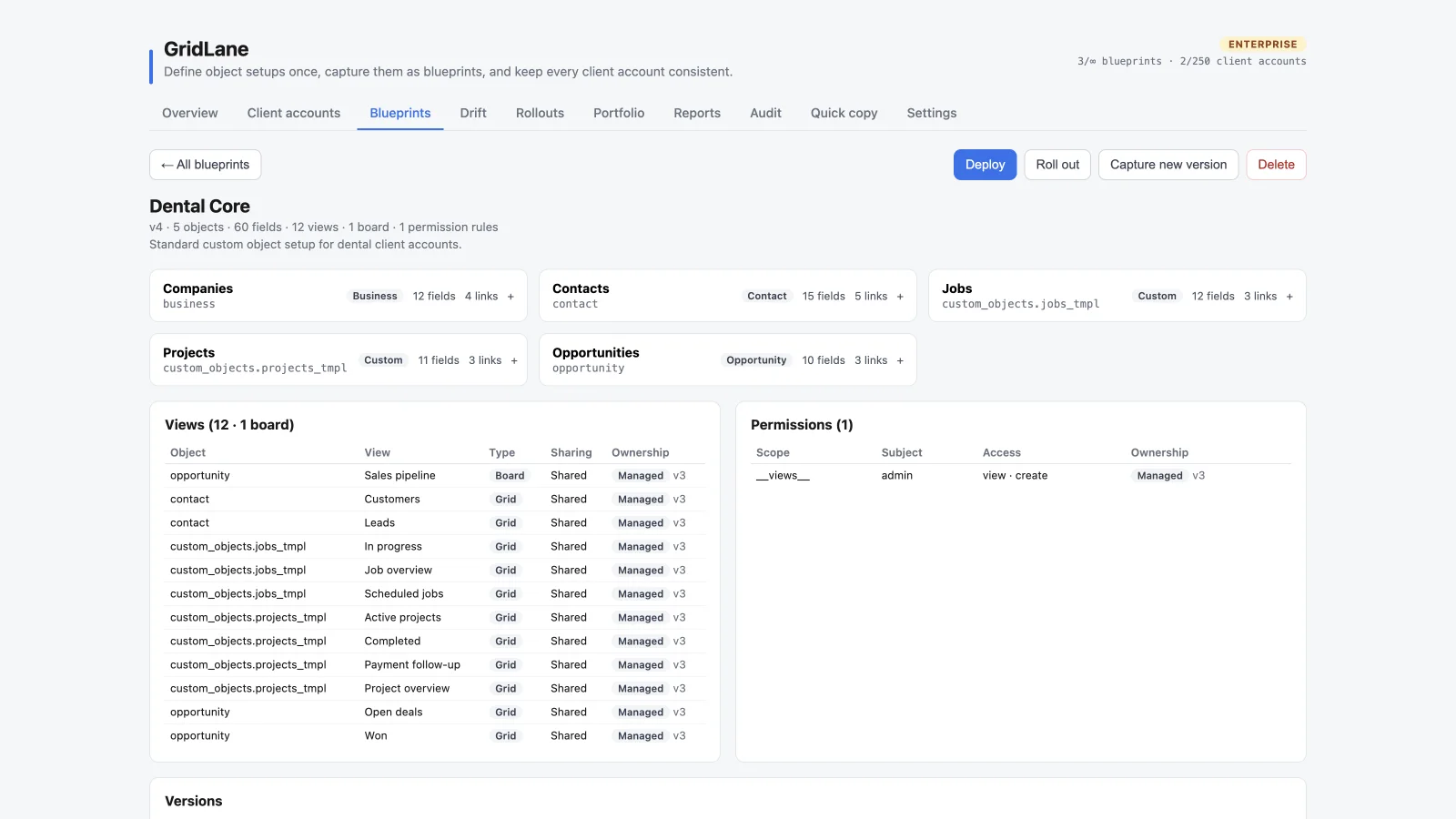
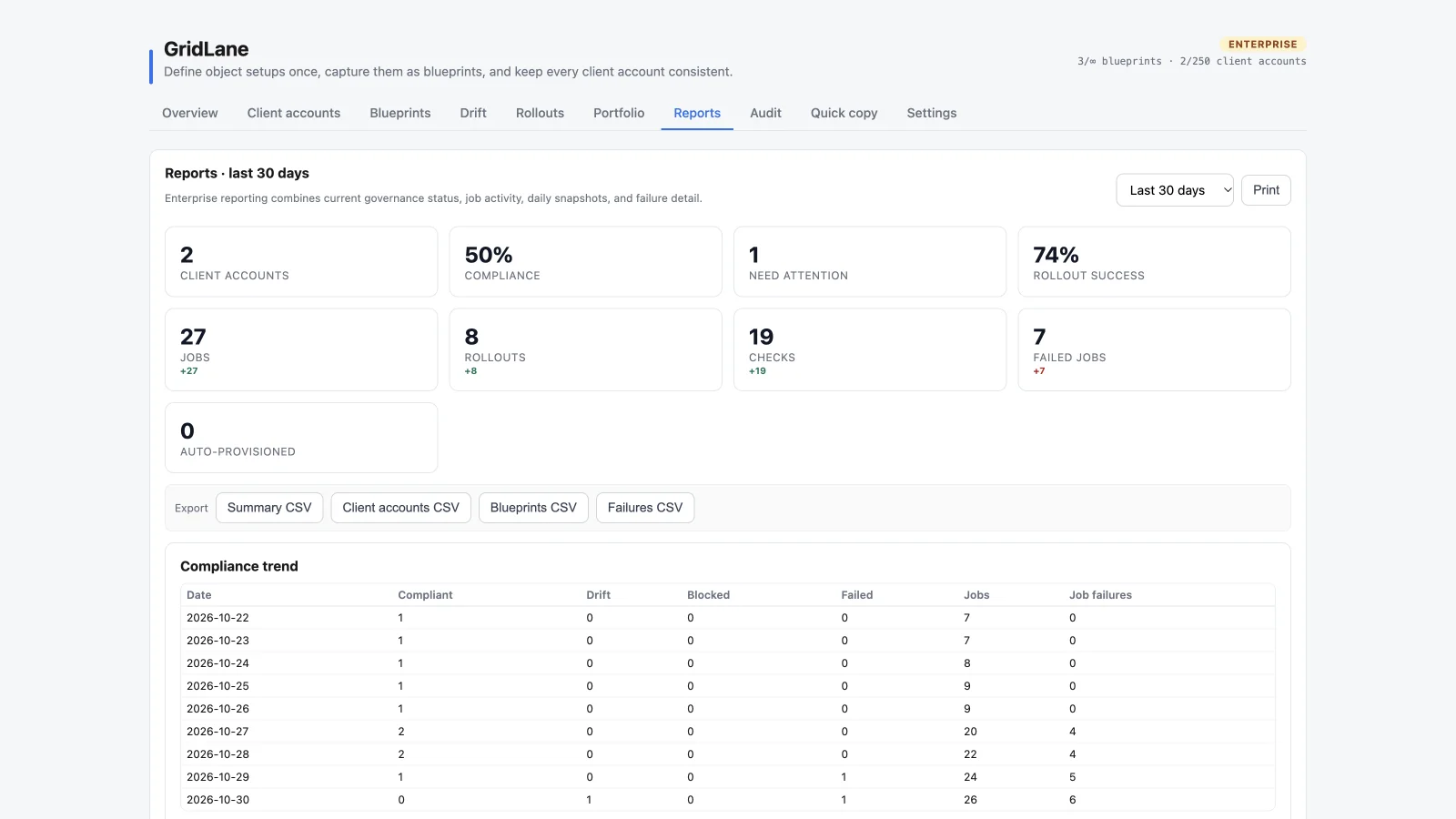
Turn the best-configured location into a blueprint. Record data is never copied.
Preview and deploy the blueprint to one location or a whole group.
Run drift checks and route failures to the people who can fix them.
Use portfolio reporting and audit export to keep the agency accountable.
Launch a new client from a known-good setup instead of rebuilding the same configuration.
Keep objects, views, and permissions aligned across the portfolio.
Know who changed what, which locations drifted, and whether a rollout succeeded.
Core covers 5 locations, Pro covers 50, and Enterprise covers 250 with full reporting, audit export, auto-provisioning, and branding.
No. Blueprints capture configuration only: objects, fields, sections, associations, grid views, board views, and permission rules. Client records are never copied into a blueprint.
Both. Preview and apply a blueprint to a single location, or use a multi-location rollout to queue the same deployment across a group.
GridLane compares each assigned location to its blueprint. Checks can run manually, daily, or weekly, and results show as compliant, drift, blocked, pending, or failed.
Enterprise adds full portfolio reporting, daily snapshots, 365-day history, audit export, auto-provisioning, and agency branding.
Start with grids and boards. Standardize when you’re ready.