
GridLane is a grid, Kanban, and governance workspace for HighLevel custom objects, contacts, and opportunities. It is built for agencies that want faster daily operations now and a repeatable way to keep client-account configuration consistent later.
The Agency console adds client-account tags, versioned blueprints, multi-location rollouts, drift checks, portfolio reporting, audit history, and automation.
GridLane is an independent product and is not affiliated with or endorsed by HighLevel.
Before you install
You need:
- An active HighLevel agency account.
- Permission to install apps and authorize the company or client accounts you want to manage.
- A GridLane subscription after the 30-day trial. There is no free plan.
- An active HighLevel user with access to the objects you want to edit.
The app is installed at the agency level. GridLane can work with the client accounts your agency is authorized to manage, but it never creates HighLevel sub-accounts for you.
Install GridLane
- Open the HighLevel Marketplace and find GridLane.
- Review the permissions and approve the install for your agency.
- Select the client accounts you want GridLane to access, or authorize the company and manage access from the Agency console.
- After authorization, GridLane returns you to its custom page inside HighLevel.
- Allow the page to finish the secure SSO handshake. You do not need a separate GridLane password.
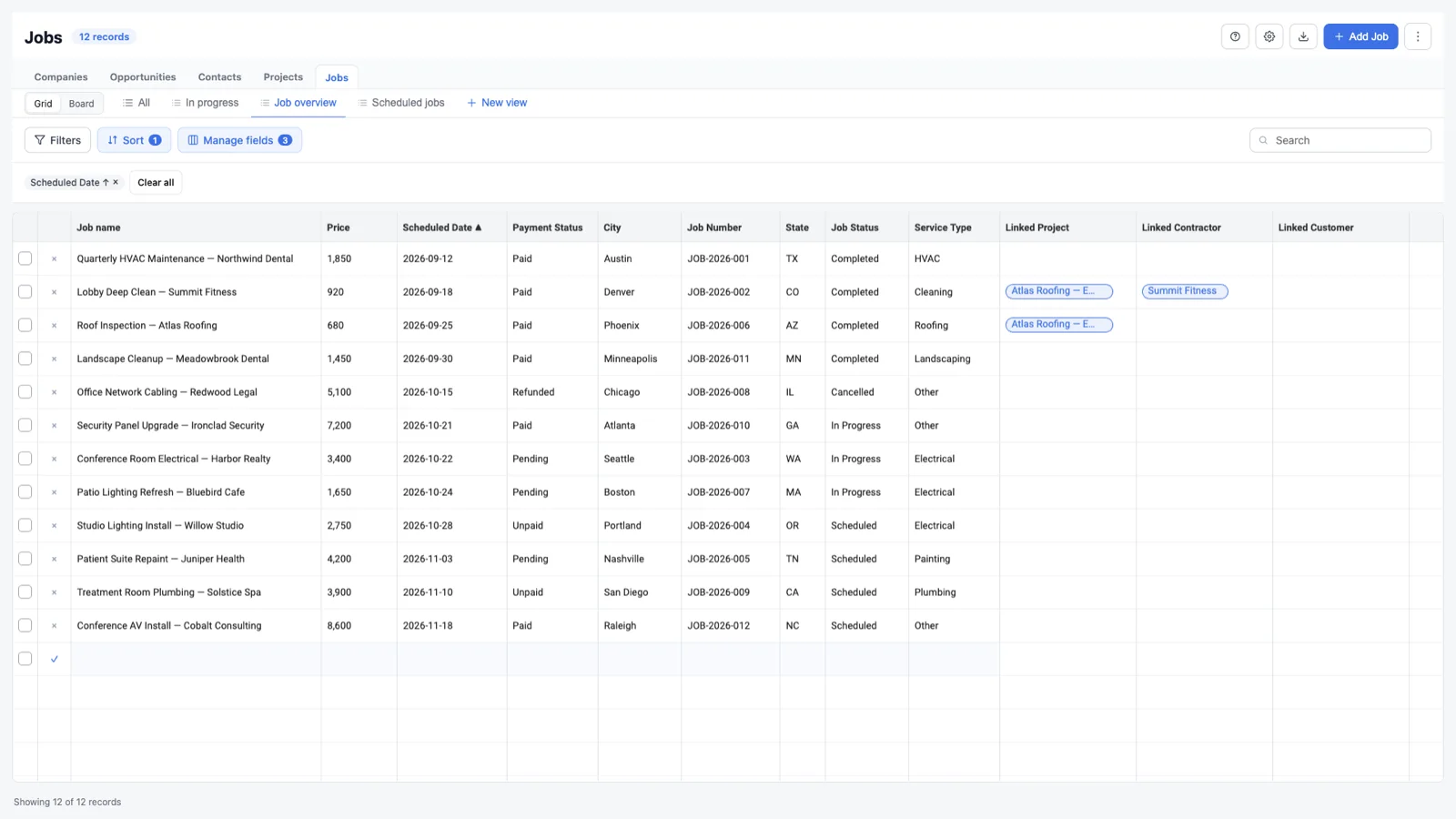
Your first five minutes
1. Edit one record
Open an object tab, click a cell, make a change, and press Enter. The cell saves without opening a separate record form. Press Escape while editing to cancel the cell change.
2. Create a record
Use Add [record] to create an inline draft row at the bottom of the grid. If the object is empty, GridLane still shows the spreadsheet with an empty row so you can start immediately. Fill the row and choose Save row.
3. Switch to a board
Use the Grid / Board switch above the view tabs. If the object has a single-select or radio field, choose Board settings to pick the column field, lane field, visible columns, and card fields. See Kanban boards.
4. Save a view
Apply a filter or sort, adjust the visible fields and layout, then choose New view. Grid and board views are saved separately. Shared views are available to the account; private views stay with you.
5. Capture a blueprint
Open the Agency console, go to Blueprints, and choose Capture blueprint. Select a well-configured source account and the objects you want to capture. A blueprint stores configuration, not record data.
6. Roll it out and monitor it
Choose Roll out to apply the blueprint to one or more client accounts, then open Drift to check whether those accounts still match the assigned blueprint version.
Choose your path
A quick tour of the agency layer
The Agency console is organized around the work an agency repeats:
- Overview — counts, recent blueprints, and client accounts.
- Client accounts — search accounts and organize them with tags.
- Blueprints — capture and version reusable configuration.
- Rollouts — queue blueprint deployment across client accounts.
- Drift — compare assigned accounts to the blueprint and inspect differences.
- Portfolio — see compliance and activity across the accounts you manage.
- Reports — detailed reporting, snapshots, failure detail, and CSV export.
- Audit — review agency-level changes and export the audit trail.
- Quick copy — copy views and permissions between accounts one time.
- Settings — drift cadence, Slack alerts, auto-provisioning, branding, and plan refresh.
Start with the agency overview guide when you are ready to walk through each tab.
Plans and data access
The 30-day trial is provided through the HighLevel Marketplace. After the trial, the plan you selected begins automatically unless you cancel. Plan limits apply to managed client accounts and blueprints. See Plans and limits.
GridLane uses HighLevel OAuth and only requests the scopes needed for the features shown. OAuth tokens are encrypted at rest. Blueprints contain configuration only and never copy record data. Read Security and data for the details.