
Manage fields controls what appears in the grid and how the table is laid out. Changes are stored with the current grid view when you save it.
Board layouts use Board settings instead. A single-select or radio field becomes the board columns, and up to six fields can appear on cards. See Kanban boards.
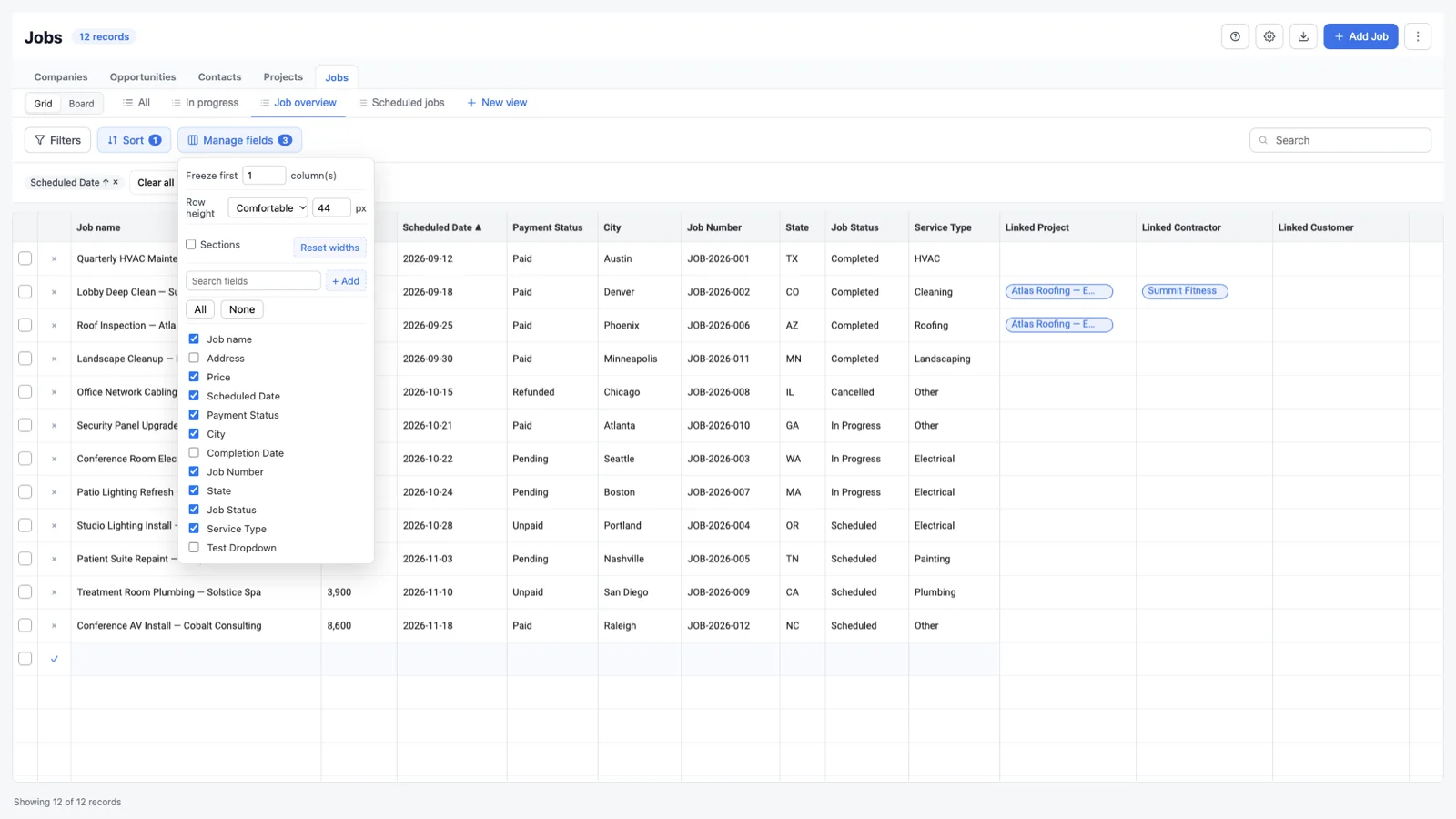
Show and hide fields
Open Manage fields and check or uncheck fields. A count beside the button shows how many fields are hidden. Use All and None to reset the selection quickly, then search the field list when an object has many fields.
Change the layout
- Freeze first keeps a selected number of columns visible while scrolling.
- Row height switches between compact, normal, comfortable, or a custom pixel height.
- Sections shows or hides the field-section grouping.
- Reset widths returns the columns to their default widths.
- Drag column edges to resize individual columns.
Add a field
If you can create fields, choose + Add in Manage fields. Give the field a name, choose a type, and select a section when one is available. The field is created through HighLevel and appears in the grid after the schema refreshes.
Field availability depends on the object and permissions:
- Custom objects support creating custom-object fields.
- Contacts and opportunities support location custom fields.
- Business fields use the Company custom-field path.
- Standard HighLevel fields cannot be created as custom fields.
Organize sections
Sections group related fields. The grid can show section headers, and fields can be added to a section. If a section is missing, GridLane may create it during a blueprint or field creation flow when the object supports it.
Permissions and fields
A field may exist but still be hidden by a GridLane permission rule. Field visibility and editability are applied before the grid is rendered; see Permissions.