
A rollout applies an add-only blueprint deployment to one or more client accounts. Each target runs as a separate queued job item so progress and failures stay attributable to the right account.
Start a rollout
- Open a blueprint and choose Roll out.
- Select the client accounts to target.
- Review the add-only behavior.
- Start the rollout.
The job is queued and processed by the agency worker. You do not need to keep the browser open.
What the deployment does
- Creates missing objects, sections, fields, associations, views, and permissions.
- Skips configuration that already exists.
- Does not delete local additions.
- Does not overwrite existing object or field definitions.
- Reports blocked conflicts for manual resolution.
See Blueprints for the full add-only rules.
Job progress
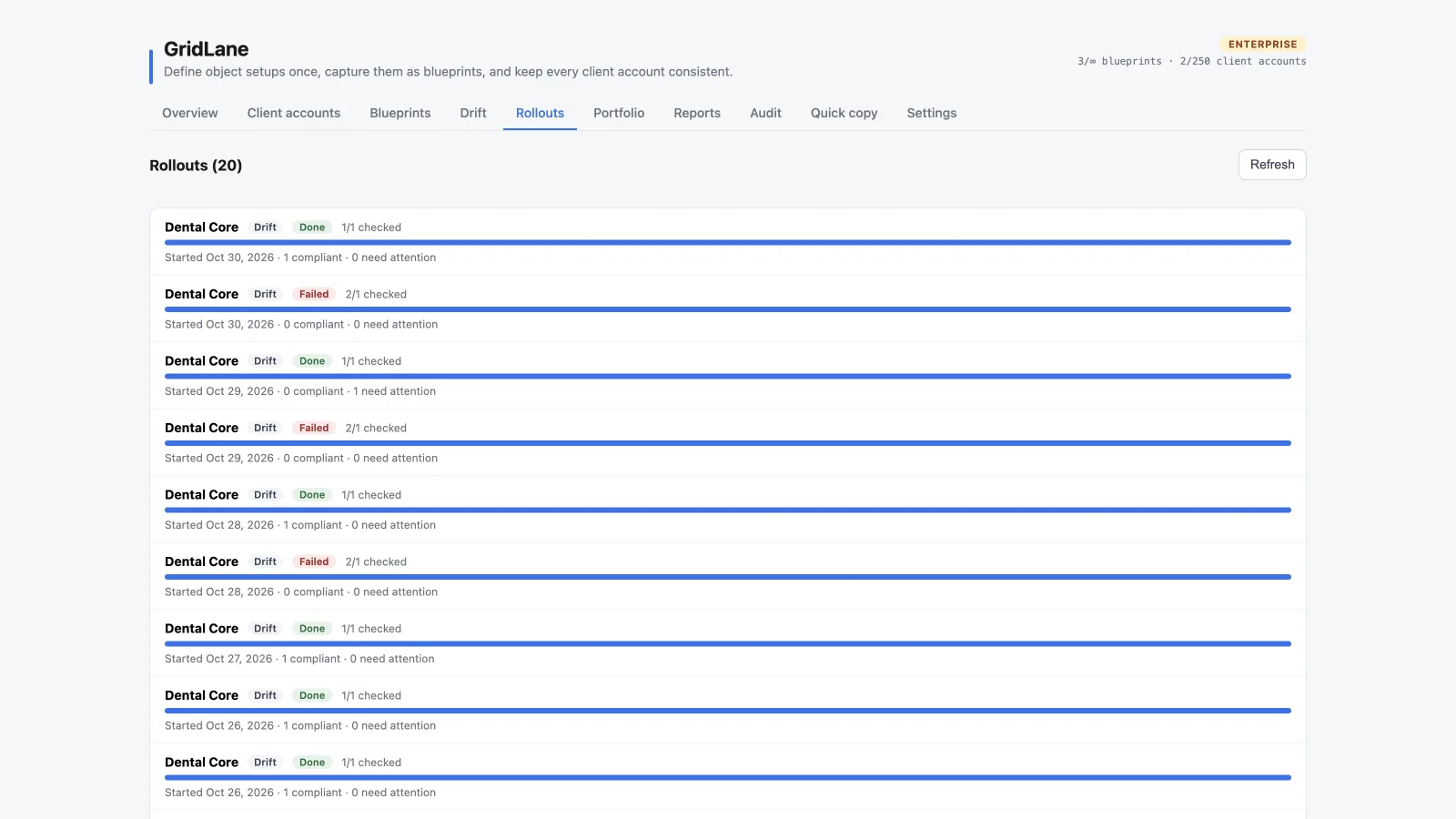
The Rollouts tab shows:
- Job name and status
- Completed/total client accounts
- Progress bar
- Created fields and existing fields
- Managed view and permission updates
- Failed account count
Open a job for per-location results and errors. Drift-check jobs appear in the same job history with a Drift badge.
Failures and retries
If a location fails, the job records the error. Existing successful writes remain in the target; a retry re-diffs the location and attempts only what is still missing. That makes retries safe and idempotent for add-only operations.
Common failures include:
- A field type conflict
- A missing standard object
- The custom-object limit
- A missing OAuth scope
- A plan or target-limit restriction
- Too many create actions for one location
Use Drift checks and Troubleshooting to inspect the exact issue.