
A blueprint is a versioned description of a client-account configuration. It records objects, fields, sections, associations, GridLane grid and board views, and GridLane permission rules. It never copies record values.
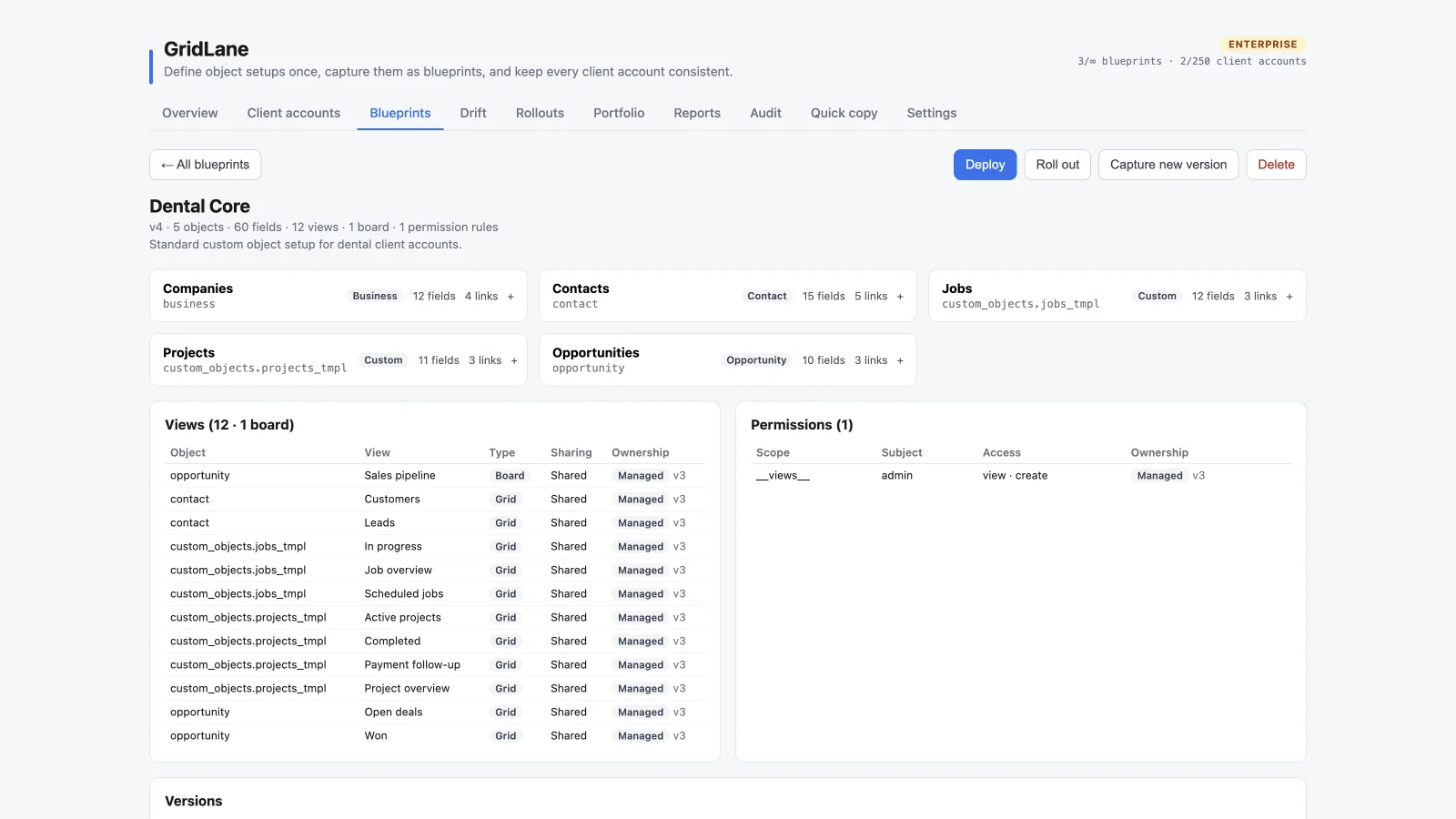
Capture a blueprint
- Open Blueprints and choose Capture blueprint.
- Select the source client account.
- Select the objects to include. Choose All or None to reset the selection.
- Give the blueprint a name and optional description.
- Choose Capture blueprint.
Selecting only some objects is useful when another process—such as a HighLevel Snapshot—already owns part of the account configuration. A blueprint cannot exist with no objects selected.
What is captured
- Object labels, descriptions, and primary display settings
- Custom and standard object fields
- Field types, required flags, sections, and options
- Association definitions
- GridLane saved views, including grid and board views with their layouts
- GridLane permission rules
Records, contacts, opportunities, conversations, and live customer activity are not included.
Preview and apply
Use Preview or Apply from the blueprint detail view to compare the blueprint with one target account. Deployment is add-only:
- Missing objects, fields, sections, associations, and grid or board views can be created.
- Existing objects and fields are not deleted.
- Existing definitions are not overwritten; differences appear as drift or blocked.
- Managed views and permissions can be updated.
- Standard objects must already exist in the target.
A single queued location is capped at 120 create actions. If a setup is larger, split it into stages.
Create a new version
Choose Capture new version or Recapture to update a blueprint from a source account. The previous version remains available in the version history; it does not silently overwrite the old version.
After capturing a new version, existing assignments remain on their current version until you roll out or apply the new one.
Snapshots and blueprints
HighLevel Snapshots can also include custom objects, fields, and associations. GridLane is designed to work alongside Snapshots, but you should choose a clear source of truth. See Snapshots and blueprints before running both processes against the same configuration.